Allow deleting
How a connected agent can move notes to the trash – per connection, off by default.
Out of the box, no agent can delete anything. You can allow it for individual connections. The agent then moves notes to the trash, and you get them back from there in one click. Nothing is deleted for good via MCP.
Allow deleting in WhyVault
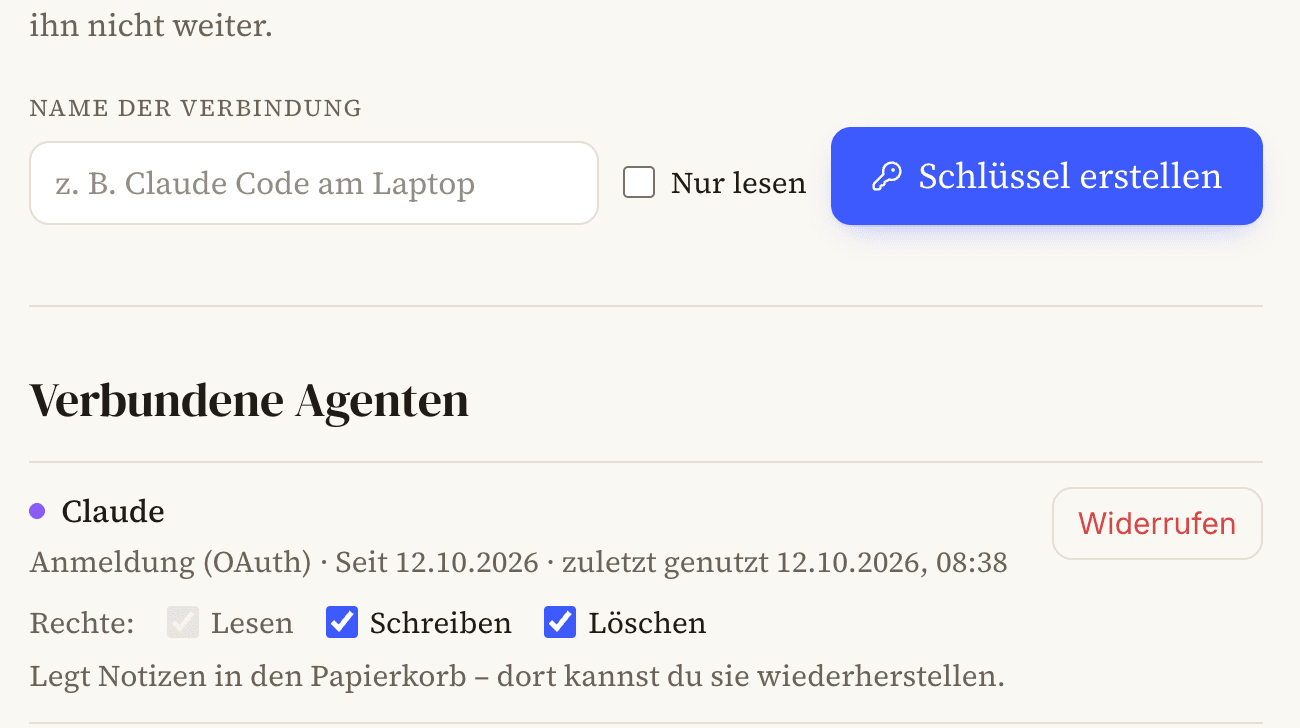
Open Connect agents in the app. Under Connected agents, every connection shows what it may do. Check Delete for the connection you want. It only works together with Write and is saved right away.
Reload the tool list in your agent
Your agent only knows the new delete_note tool once it reloads WhyVault's tools. In Claude: Settings → Connectors → whyvault, click the three dots at the top right, then Refresh tool list.
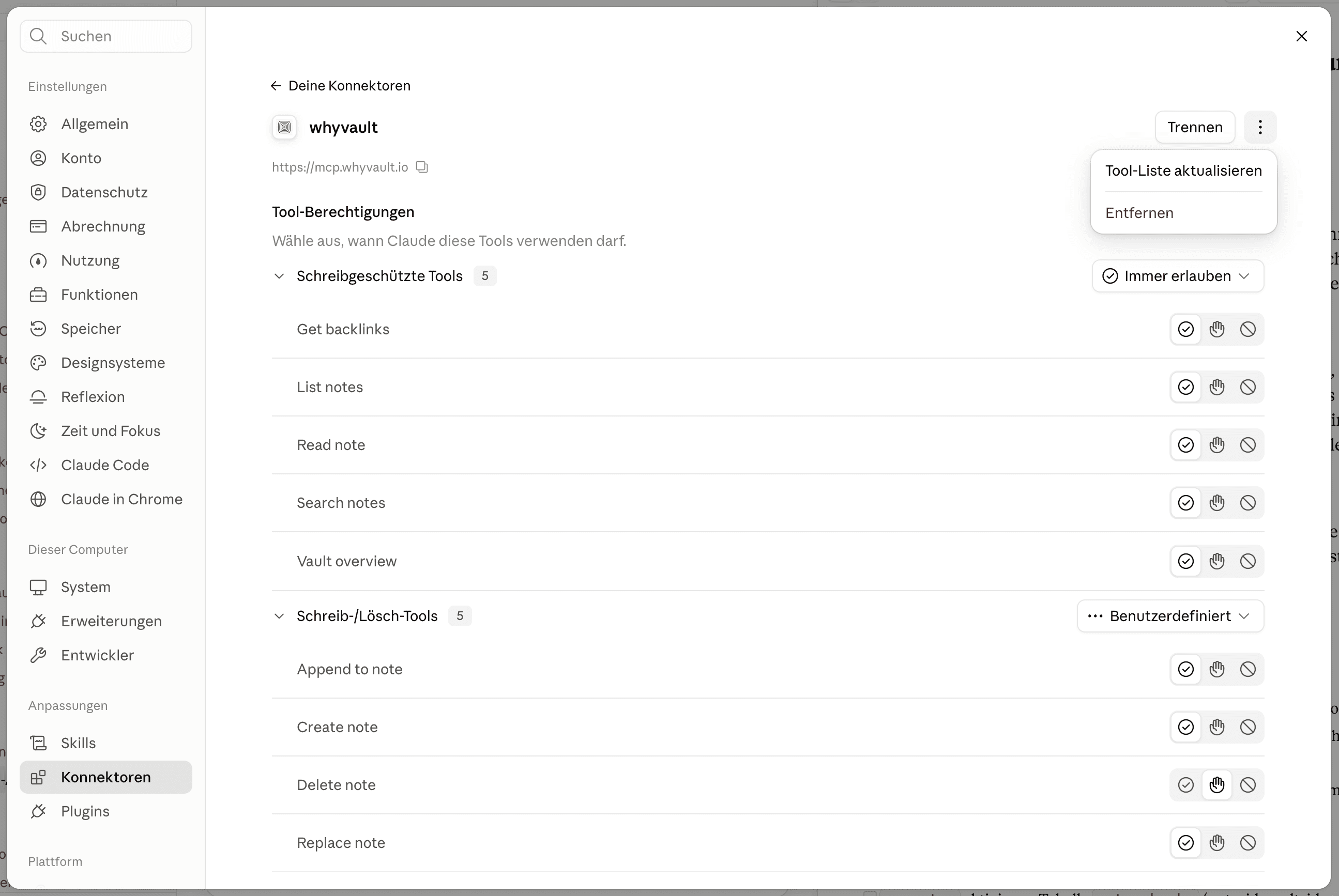
Afterwards Delete note shows up under the write/delete tools. Claude sets it to Ask: Claude checks with you before every delete. You can change that there too.
In other agents, a new chat or a restart is usually enough.
Try it
Ask the agent to delete a test note. It disappears from the vault and ends up in the Trash. From there, Restore puts it back in its old place, history included.
Good to know
- Only the version it read: If the note changed since the agent read it, deleting fails. So nothing disappears that the agent hasn't seen.
- Turn it off again: Uncheck Delete. It applies from the agent's next call.
- Reconnected: If you revoke a connection and connect it again, it can only read and write again.